Project 02 / 04
Qyrus API Testing
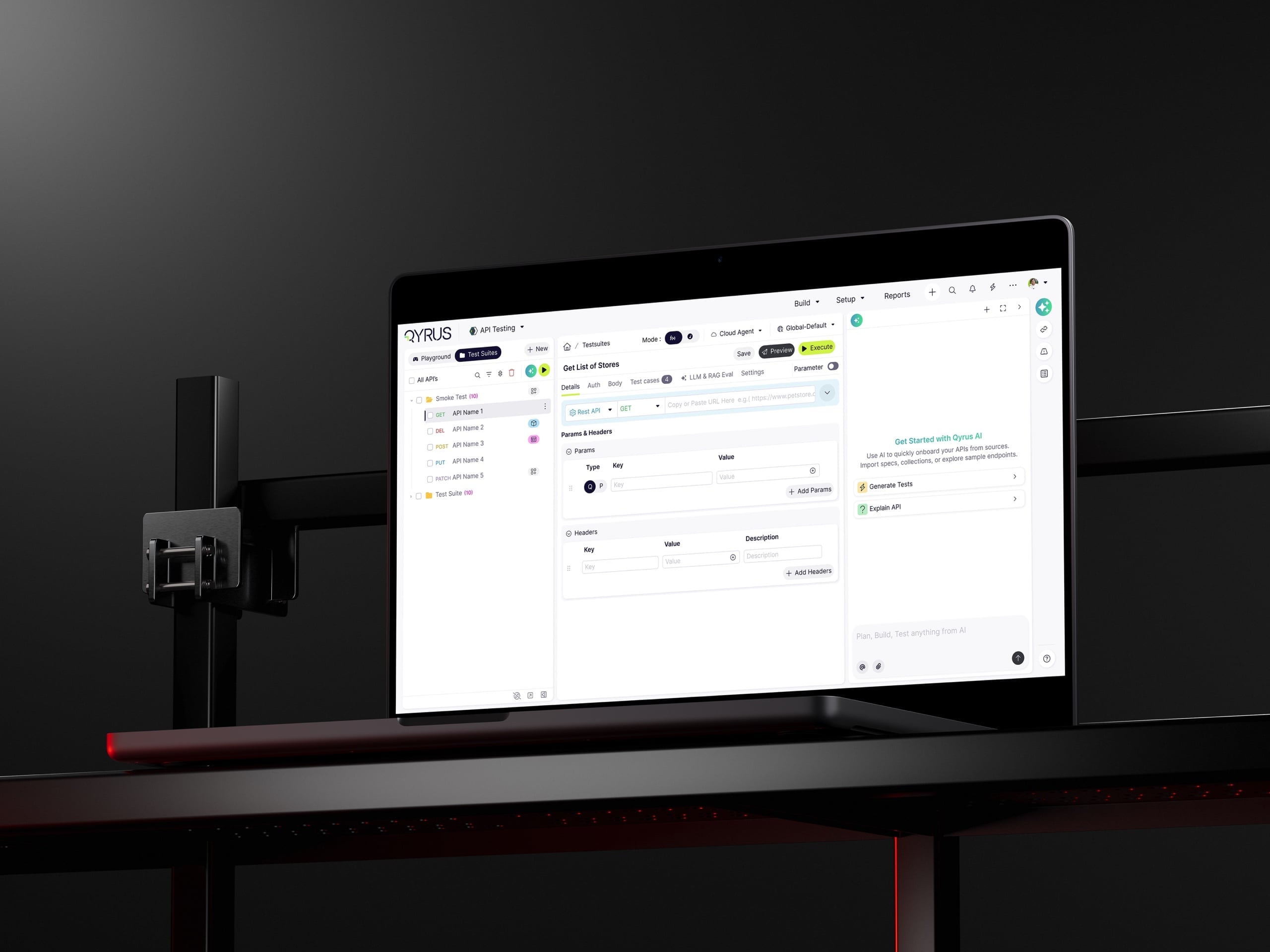
Qyrus could run API requests, but teams still had to clone scenarios, script advanced checks, hand-map dependencies, and piece together results across separate surfaces. I redesigned it into one workflow that starts with a real API, turns it into reusable coverage, connects end-to-end flows, and keeps the next action readable.
Impact
- API Discovery
Bring real requests into testing from live capture or import.
- One test, many scenarios
Parameterized data replaces cloned scenarios.
- AI-assisted authoring
AI explains endpoints and suggests editable tests and assertions.
- End-to-end API Flows
Functional and performance reporting stay tied to the journey.
Qualitative adoption signals from 2025 product research. These labels describe workflow capabilities, not measured deltas, and no unsupported percentages are claimed.
Complete coverage was hard to maintain
Running one request was manageable. The workflow broke down when teams added new datasets, advanced assertions, dependent APIs, performance checks, and release reporting. Each extra scenario created more setup to repeat and more places to lose the reason behind a failure.
Decision trailProblem decision chain
- Evidence
- Internal discovery showed that import, authoring, reusable setup, execution, and debugging lived across disconnected work.
- Insight
- The product risk was not only time loss; it was losing the reason behind each test decision.
- Decision
- Treat the API contract, generated checks, data, runs, and failure evidence as one reviewable record.
- Product change
- The case-study spine follows the lifecycle from source discovery or import to diagnosis.
- Outcome or limitation
- The workflow change is supported by screens and discovery notes; speed, adoption, and rollout impact remain unmeasured.
- New datasets usually meant cloned requests.
- Advanced checks and mappings often still needed scripts.
- Dependent APIs were connected by hand.
- Functional, performance, and reporting work lived apart.
Research showed two audiences and one workflow gap
Interviews with more than 30 QA professionals and managers followed the work from the first API to release readiness. We tracked where people duplicated effort, wrote code for routine setup, lost context between requests, or could not explain a failed run.
That split into two needs: QA engineers needed depth inside each test, while QA managers needed a fast read on release readiness across the whole journey. The July 2025 market review confirmed that import and execution were common; the bigger gap sat between them, in reuse, dependency mapping, and journey-level understanding.
Primary users
QA engineers
Build and maintain coverage across changing APIs, datasets, and environments.
- What they need to do
- Create reliable scenarios quickly and understand exactly why a run failed.
- What gets in the way
- Cloned requests created maintenance work.
- Assertions, extraction, and chaining often required code.
- How the design responds
- Reusable data, no-code checks, AI assistance, and direct failure evidence.
QA managers
Review quality and release risk across projects, teams, and business journeys.
- What they need to do
- See pass rates, failure points, coverage, and performance at a glance.
- What gets in the way
- Results were fragmented across individual APIs.
- Functional and performance views were separated.
- How the design responds
- Flow-level reporting that connects the summary to the failed step.
Internal discovery research, 2025. Interview material is not public, so no direct quotes are used.
Ten products reviewed
- API clients
- Postman · Insomnia · Bruno · Hoppscotch
- Enterprise / no-code platforms
- Testsigma · ReadyAPI · SoapUI · Katalon Studio
- Code-first frameworks
- Karate · REST Assured
Feature comparison
As it stood in July 2025
See what else was out there in July 2025
| Capability | Q-API | Postman | Testsigma | ReadyAPI | Katalon | Karate |
|---|---|---|---|---|---|---|
| Spec and collection import | ||||||
| AI-assisted test generation | ||||||
| Visual or no-code authoring | ||||||
| Reusable parameter and dataset mapping | ||||||
| Functional and performance continuity | ||||||
| AI generate → execute → saved report | ||||||
| Persistent reports and failure diagnosis | ||||||
| Enterprise orchestration and governance |
Spec and collection import
- Q-API
- Postman
- Testsigma
- ReadyAPI
- Katalon
- Karate
AI-assisted test generation
- Q-API
- Postman
- Testsigma
- ReadyAPI
- Katalon
- Karate
Visual or no-code authoring
- Q-API
- Postman
- Testsigma
- ReadyAPI
- Katalon
- Karate
Reusable parameter and dataset mapping
- Q-API
- Postman
- Testsigma
- ReadyAPI
- Katalon
- Karate
Functional and performance continuity
- Q-API
- Postman
- Testsigma
- ReadyAPI
- Katalon
- Karate
AI generate → execute → saved report
- Q-API
- Postman
- Testsigma
- ReadyAPI
- Katalon
- Karate
Persistent reports and failure diagnosis
- Q-API
- Postman
- Testsigma
- ReadyAPI
- Katalon
- Karate
Enterprise orchestration and governance
- Q-API
- Postman
- Testsigma
- ReadyAPI
- Katalon
- Karate
This is what each product's own public docs showed in July 2025, while I was deciding what Q-API still needed to do differently. A check means their docs showed it by then; an × means I couldn't confirm it there — not proof they didn't have it. Third-party integrations didn't count as a built-in feature.
Sources: Postman performance, Testsigma 2025 AI, Testsigma API, ReadyAPI May 2025, ReadyAPI AI timing, Katalon 2024 AI, Karate 1.5.1
- How an API enters the workspace
- How one request becomes many scenarios
- How data moves between dependent APIs
- How engineers debug and managers judge a release
The clearest insight: teams needed to test both the request and the journey it belonged to.
An early MVP tested the direction
Before the refined workspace, a lower-fidelity MVP explored one question: would testers use a single place to bring in an API, inspect it, add checks, and chain requests into a journey?
It tested the direction that later became the enterprise workflow shown below: start with a real API, reuse what changes, connect dependent steps, use AI where it helps, and keep results reviewable.
Product pillars
- 01
Discover
- Before
- Testing began with manual setup or a static file.
- Design decision
- Support familiar imports and capture live API activity.
- Why it helps
- Start with real request and response context.
- 02
Reuse
- Before
- A new dataset meant another copy of the same test.
- Design decision
- Parameterize one request with reusable scenario data.
- Why it helps
- Grow coverage without growing maintenance at the same rate.
- 03
Connect
- Before
- Dependencies were mapped one response at a time.
- Design decision
- Build API Flows with visible order, mappings, and conditions.
- Why it helps
- Test the business journey, not isolated requests.
- 04
Assist
- Before
- Understanding, assertions, and mappings demanded specialist effort.
- Design decision
- Use AI to suggest editable tests, checks, data, and flows.
- Why it helps
- Move faster while keeping the tester in control.
- 05
Read
- Before
- Functional, performance, and failure evidence were separated.
- Design decision
- Run both modes from the same setup and connect summaries to detail.
- Why it helps
- Give engineers and managers one shared view of quality.
The MVP explored the loop; the sections that follow show how it was refined into the enterprise workspace.
Method note: these are early wireframes shown to document how the direction was tested. They are not evidence of measured adoption or validated results.
Start with a real API
Teams could import OpenAPI, Postman, or cURL, configure an API manually, or capture live traffic through API Discovery. Captured requests stayed visible and editable before moving into a suite, so discovery became part of testing instead of a disconnected pre-step.
Let AI explain and generate
AI did not replace authoring; it reduced blank-page setup. After import, it explained what an endpoint did, surfaced the request and response details, and suggested checks the tester could review before anything entered a suite.
That made the assistive layer concrete: explain the endpoint, show what matters, generate header, JSON path, and schema checks, then keep everything editable so the tester remains in control.
Build one test for many scenarios
Instead of cloning a request for every edge case, testers selected the values that changed and mapped them to reusable datasets across path, header, query, and body fields. One suite could then cover valid, invalid, boundary, role, environment, functional, and performance scenarios while preserving a single test definition.
That changed maintenance as much as authoring. When the request or assertion changed, teams updated the shared definition and reran the suite instead of repairing a stack of near-identical copies.
Read test-suite results without losing context
Once one reusable definition powered many runs, results had to stay attached to that same definition. Functional reports showed suite and API status, expected-versus-actual values, timing, and the failed step without forcing teams into a separate debugging flow.
The same context carried into repair. The test-case editor kept assertions editable for the next run, while performance reports reused the suite setup to show completion and response-time behavior across the execution.
Build and report the end-to-end API journey
API Flows started with an explicit empty canvas, then kept dependent requests, reusable values, conditions, and validations visible as one business journey. The structure made the order of operations and the dependency logic reviewable before execution started.
Flow reports preserved that same continuity. Teams could read overall journey status, inspect the failed or skipped step, and trace the execution back through the exact chain of requests instead of treating each API as an isolated result.
From API execution to API quality
This redesign repositioned Qyrus from isolated API execution toward an API-quality workspace. The shipped system could start from discovery or import, generate editable checks with AI, reuse one definition across many scenarios, connect API Flows, and keep functional and performance evidence in context.
The evidence here is structural, not statistical. The archive supports workflow change, screen-level proof, and qualitative research signals; it does not support claimed baselines, adoption percentages, or post-release outcome metrics.
Measurement plan, not current results
- Time from API discovery or import to first executable test
- Closest signal for whether the connected path reduces setup friction.Needs timestamped product analytics or moderated task timing.
- AI suggestion acceptance and edit rate
- Shows whether generated checks are useful while preserving expert review.Needs event tracking for generated, edited, accepted, and discarded checks.
- Mapping completion and errors
- Tests whether reusable data setup is clearer or still blocks execution.Needs setup-funnel events and validation-error logs.
- Failure-resolution time
- Measures whether report evidence helps testers repair and rerun faster.Needs linked failure, edit, rerun, and pass events.
- Support dependency
- Checks whether teams still need help to move from failure evidence to action.Needs support-ticket tagging or customer-success notes.
These signals are intentionally listed as future measurement needs because the archive does not include a complete baseline, result, period, population, or source.
Ownership and collaboration
Led
- Product UX direction for the API discovery-or-contract-to-report workflow.
- UI structure for import review, AI-generated checks, reusable data, execution, and diagnosis.
- Case-study evidence framing and removal of unsupported outcome metrics.
Partnered
- QA practitioners and leads for workflow pain points and product language.
- Engineering partners for API testing constraints, execution states, and report feasibility.
- Product managers for prioritizing the connected lifecycle over isolated AI moments.
The map states only the ownership supported by the project record; it does not convert team participation into invented attribution.
- API Discovery brought live traffic and imports into the same workspace.
- Parameterized suites kept one test definition reusable across many scenarios.
- AI could explain endpoints and generate editable checks before execution.
- API Flows connected journey-level status to the failed or skipped step.
The strongest verified change is structural: the same API context can move from discovery to suite authoring, from reusable data to flow execution, and from failed runs to the next repair step without rebuilding context.